Poster Presentation Guidelines
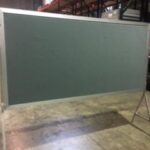
Image of Poster Board
Posters should be readable by viewers from distances of at least 3 feet/91.44 centimeters away. The message should be clear and understandable. The poster boards are 48 inches/121 centimeters high by 96 inches/242 centimeters wide.
The following guidelines have been prepared to help improve the effectiveness of poster communication.
- Initial Sketch – Plan your poster early. Focus your attention on a few key points. Try various styles of data presentation to achieve clarity and simplicity. Does the use of color help? What needs to be expressed in words? Suggest headlines and text topics.
- Rough Layout – Enlarge your best initial sketch, keeping the dimensions in proportion to the final poster. Ideally, the rough layout should be in full size. A blackboard is a convenient place to work. Print the title and headlines. Indicate text by horizontal lines. Draw rough graphs and tables. This will give you a good idea of proportions and balance. Ask associates for comments. This is still an experimental stage.
- Final Layout – The artwork is complete. The text and tables are typed, but not necessarily enlarged to full size. Now ask, is the message clear? Do the important points stand out? Is there a balance between words and illustrations? Is there spatial balance? Is the pathway through the poster clear?
- Balance – The figures and tables should cover slightly more than 50% of the poster area. If you have only a few illustrations, make them large. Do not omit the text, but keep it brief. The poster should be understandable without oral explanation. Detailed information should be provided in smaller type below the heading. Details of methodology should be brief and should be placed at the end of the legend.
- Topography – Avoid abbreviations, acronyms, and jargon. Use a consistent font throughout.
- Eye Movement – The movement (pathway) of the eye over the poster should be natural, down the columns or along the rows. Size attracts attention. Arrows, pointing hands, numbers, and letters can help clarify the sequence.
- Simplicity – Resist the temptation to overload the poster. More material may mean less communication. Simple use of color can add effective emphasis.
Please note: your poster should be in landscape format.
While the default assumption is to allow open discussion of SVP presentations on social media, presenters have the right to request that attendees not disseminate the contents of their talk. The following icon may be copied and included on slides or posters to clearly express if you do not want your results posted:

Recording (photographing, audio taping or videotaping) any presentation/session is PROHIBITED, except by individuals authorized by SVP or by first authors who want to photograph their own poster presentation.